Maven
From Apache Maven :
Apache Maven is a software project management and comprehension tool. Based on the concept of a project object model (POM), Maven can manage a project’s build, reporting and documentation from a central piece of information.
Introduction
Maven, a Yiddish word meaning accumulator of knowledge, was originally started as an attempt to simplify the build processes in the Jakarta Turbine project. There were several projects each with their own Ant build files that were all slightly different and JARs were checked into CVS. We wanted a standard way to build the projects, a clear definition of what the project consisted of, an easy way to publish project information and a way to share JARs across several projects.
The result is a tool that can now be used for building and managing any Java-based project. We hope that we have created something that will make the day-to-day work of Java developers easier and generally help with the comprehension of any Java-based project.
Objectives
Maven’s primary goal is to allow a developer to comprehend the complete state of a development effort in the shortest period of time. In order to attain this goal there are several areas of concern that Maven attempts to deal with:
- Making the build process easy
- Providing a uniform build system
- Providing quality project information
- Providing guidelines for best practices development
- Allowing transparent migration to new features
How to create maven project in Eclipse
-
Go to
New > Project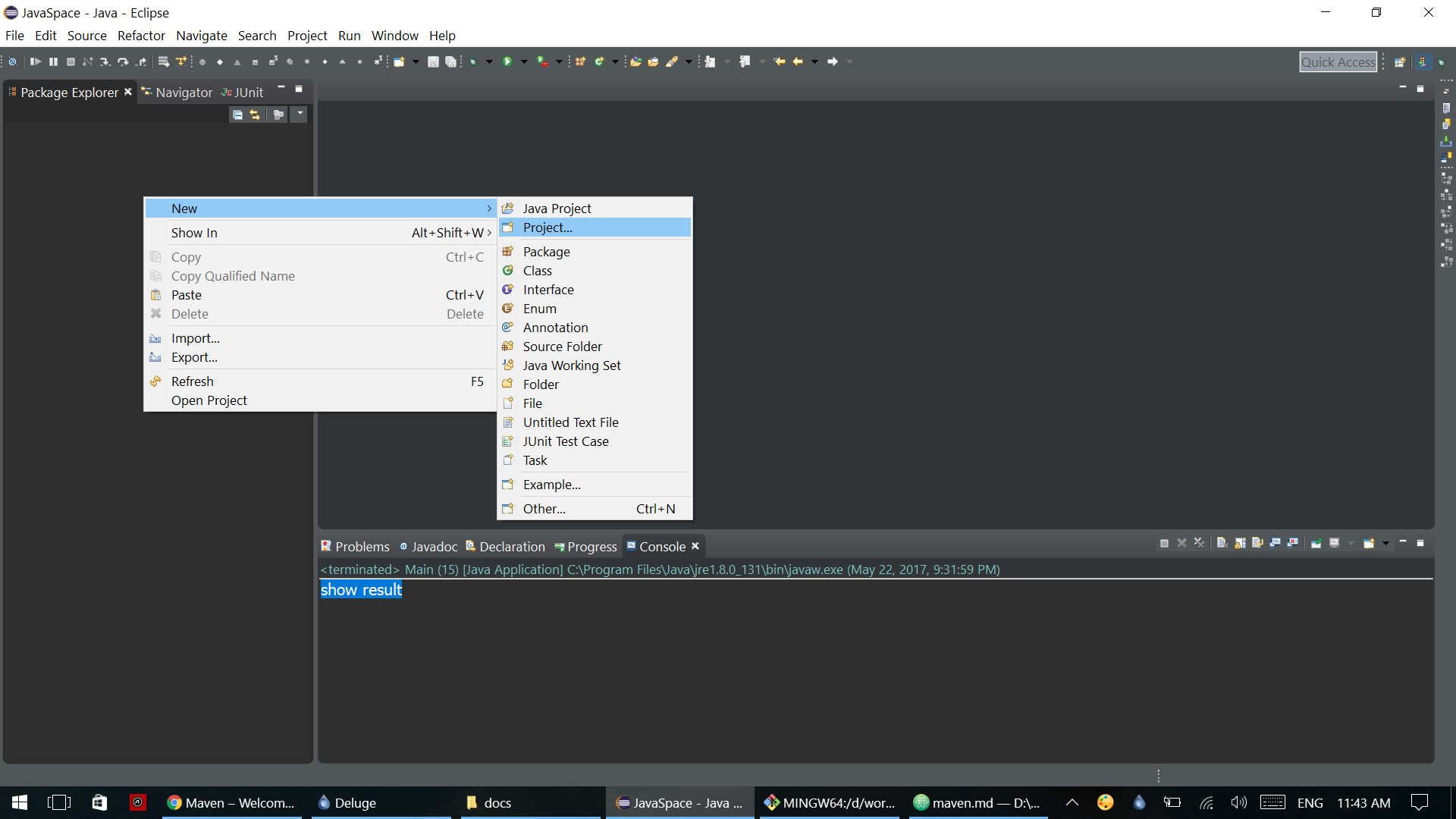
-
Choose
Maven Project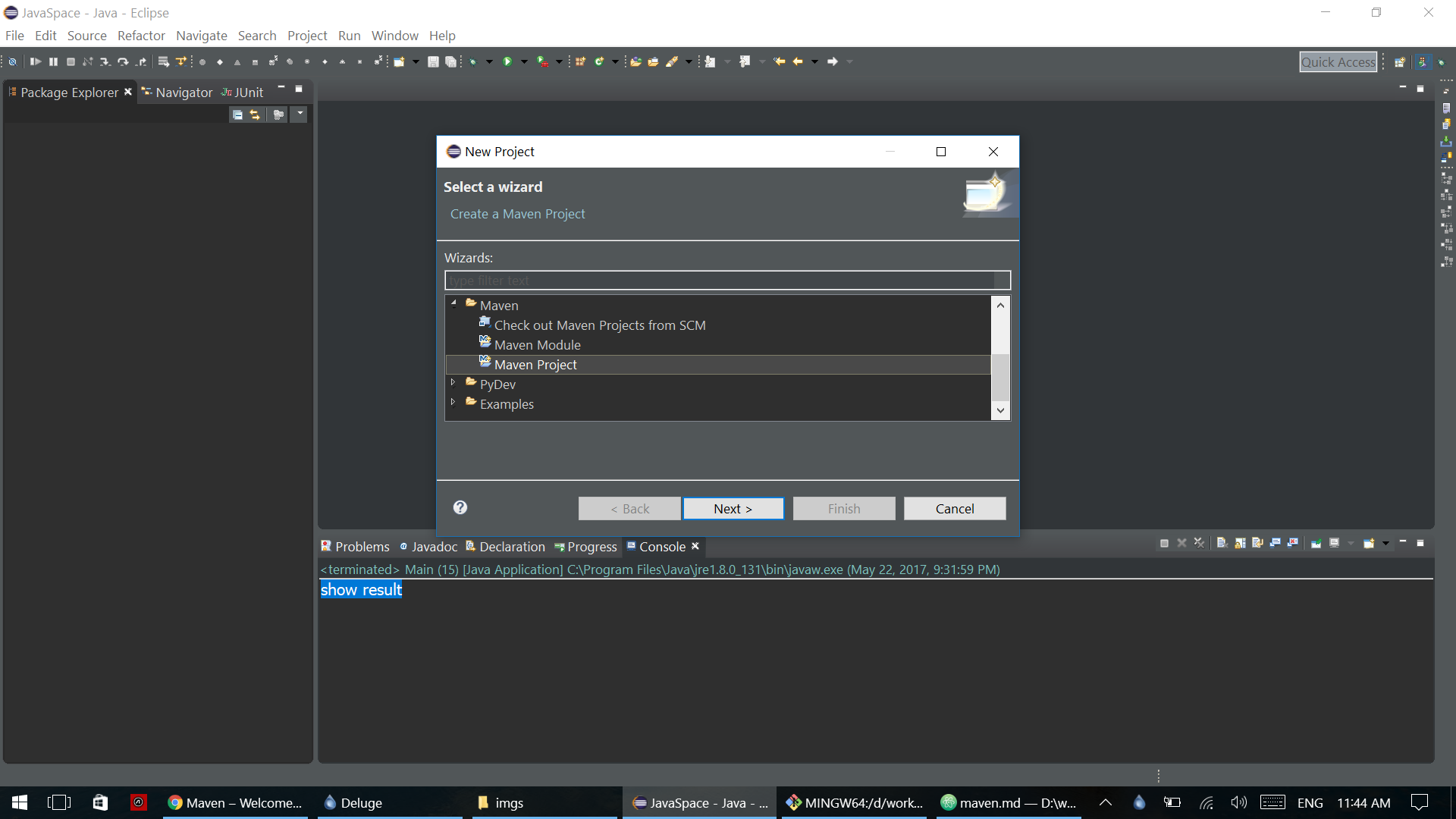
-
In this menu, We going to create simple maven project so choose
Choose a Simple project (skip archetype selection)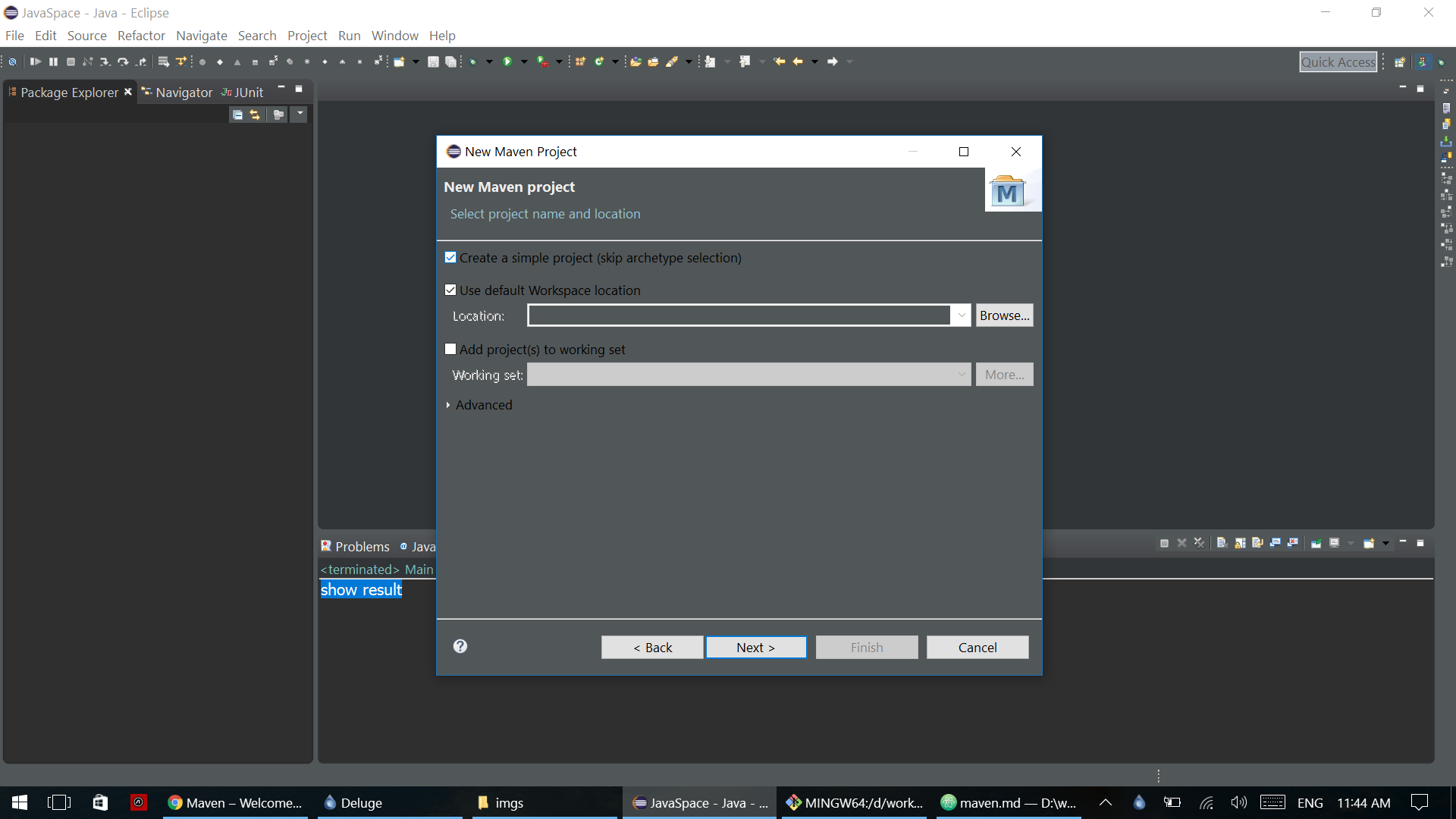
-
Fill in
Group IdandArtifact Id. We can leave other blank as a default value.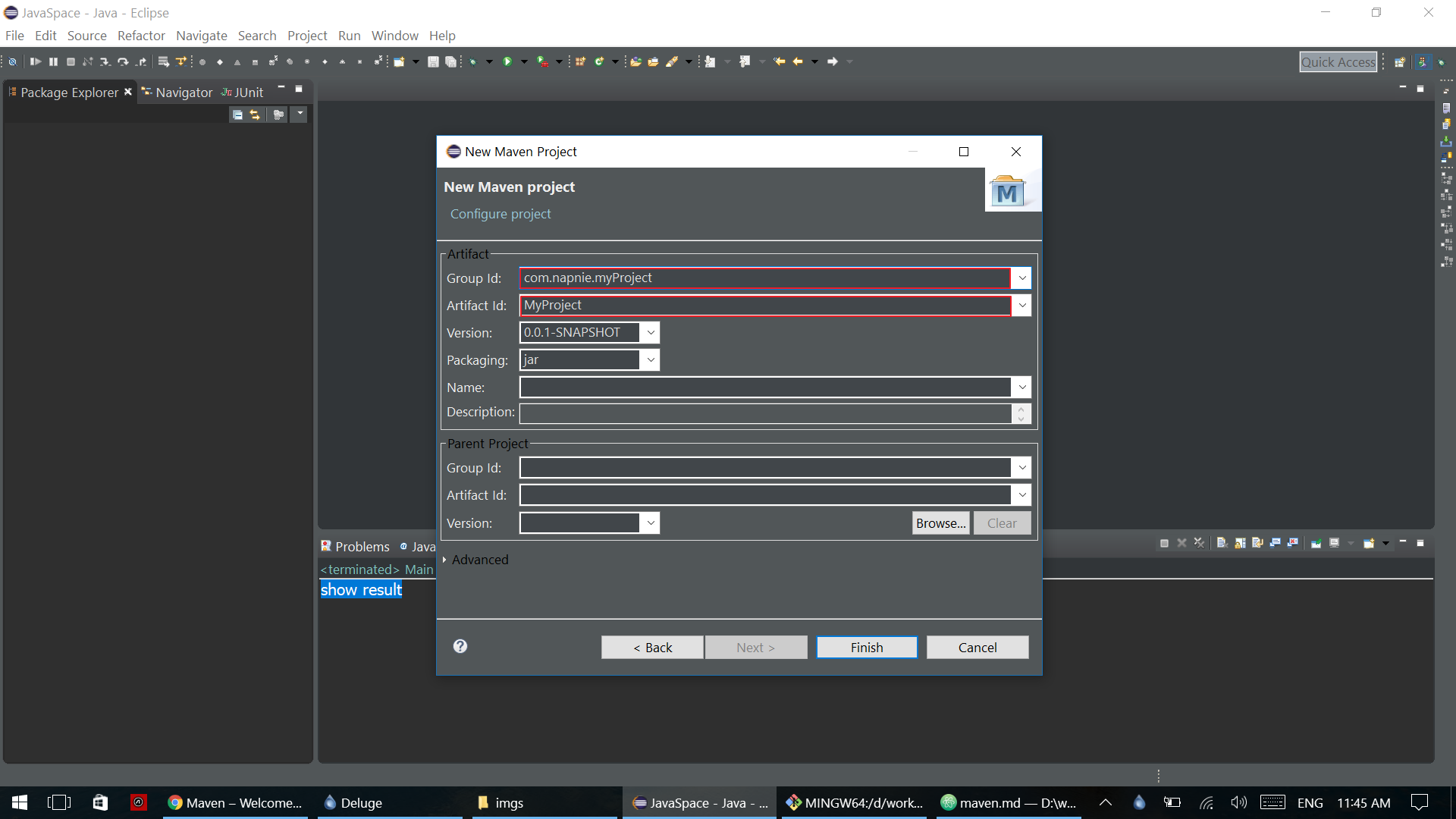
-
Now we have maven project.
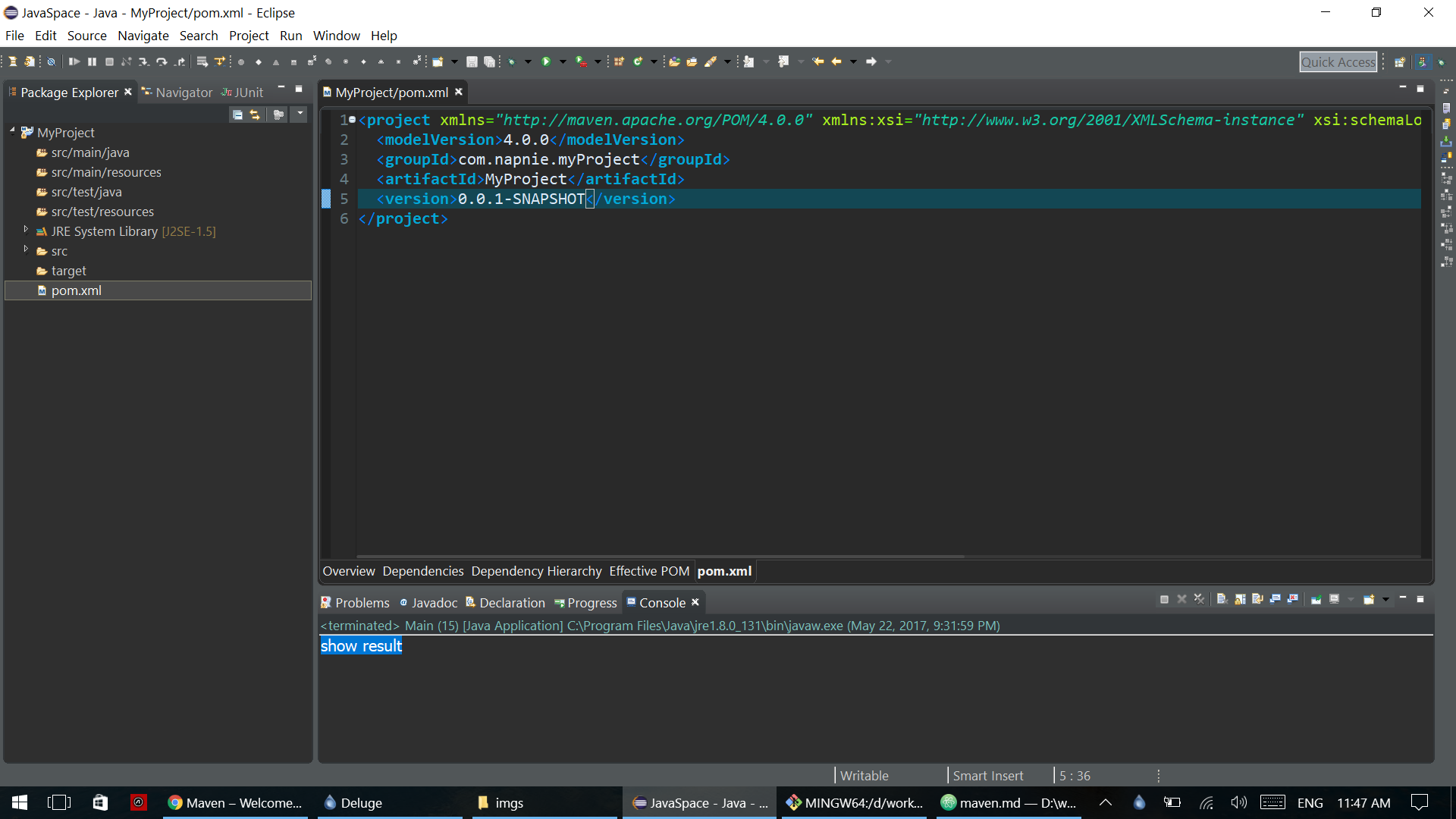
Now we can add dependencies so that we can have other library.
For example we will add JUnit dependency code.
<!-- https://mvnrepository.com/artifact/junit/junit -->
<dependency>
    <groupId>junit</groupId>
    <artifactId>junit</artifactId>
    <version>4.12</version>
</dependency>
Simply add this code in pom.xml file and save, Eclipse will automatically build workspace for you.
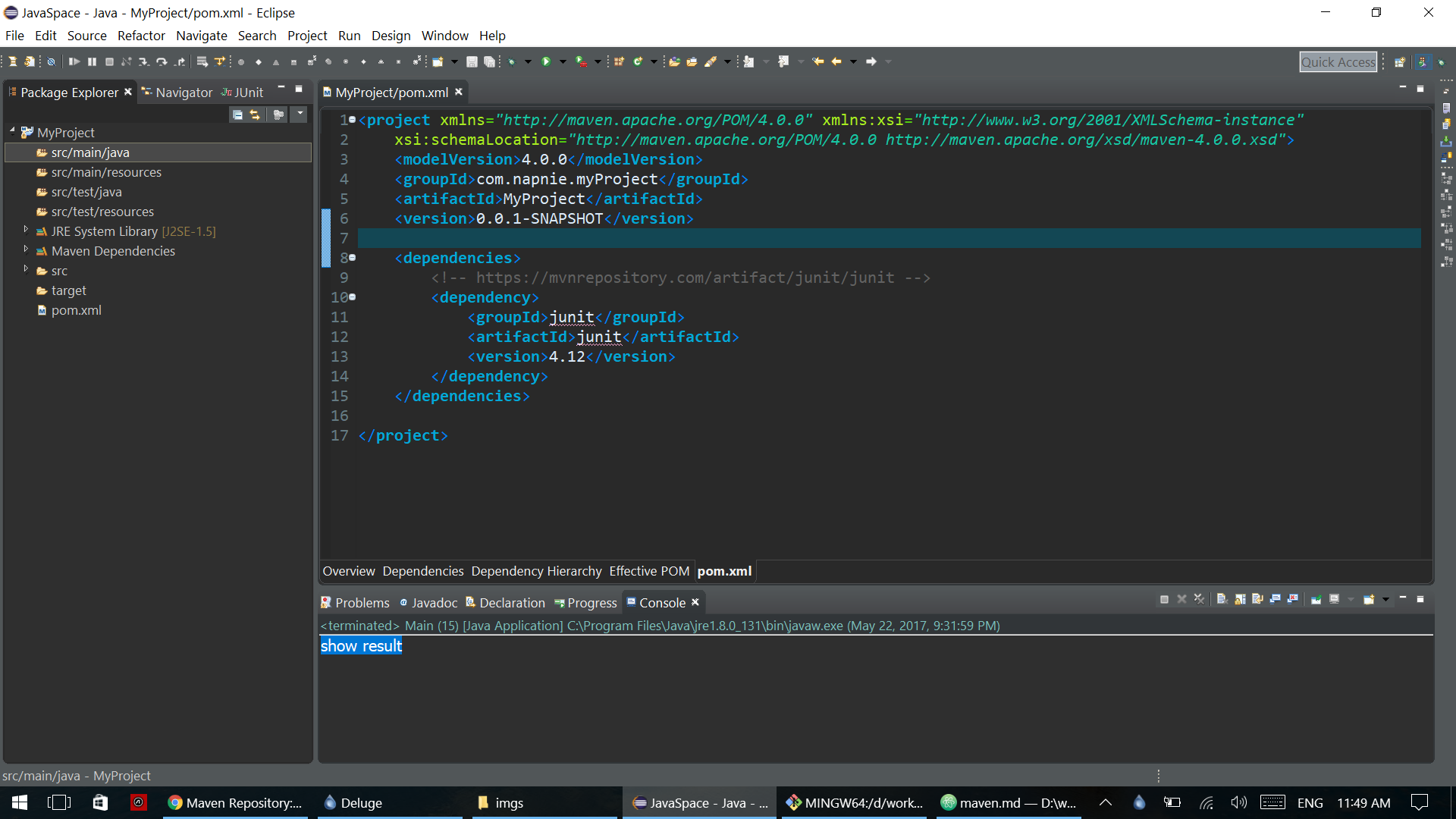 Now we can use JUnit in our project
And if you want any other library, you only need to find their dependency code and add it in pom.xml.